
+ The connected operations platform
Build with intent.
Operate with clarity.
From the first design input to the lot that ships. Connect your product, quality, suppliers and operations. Understand what happens when something changes.
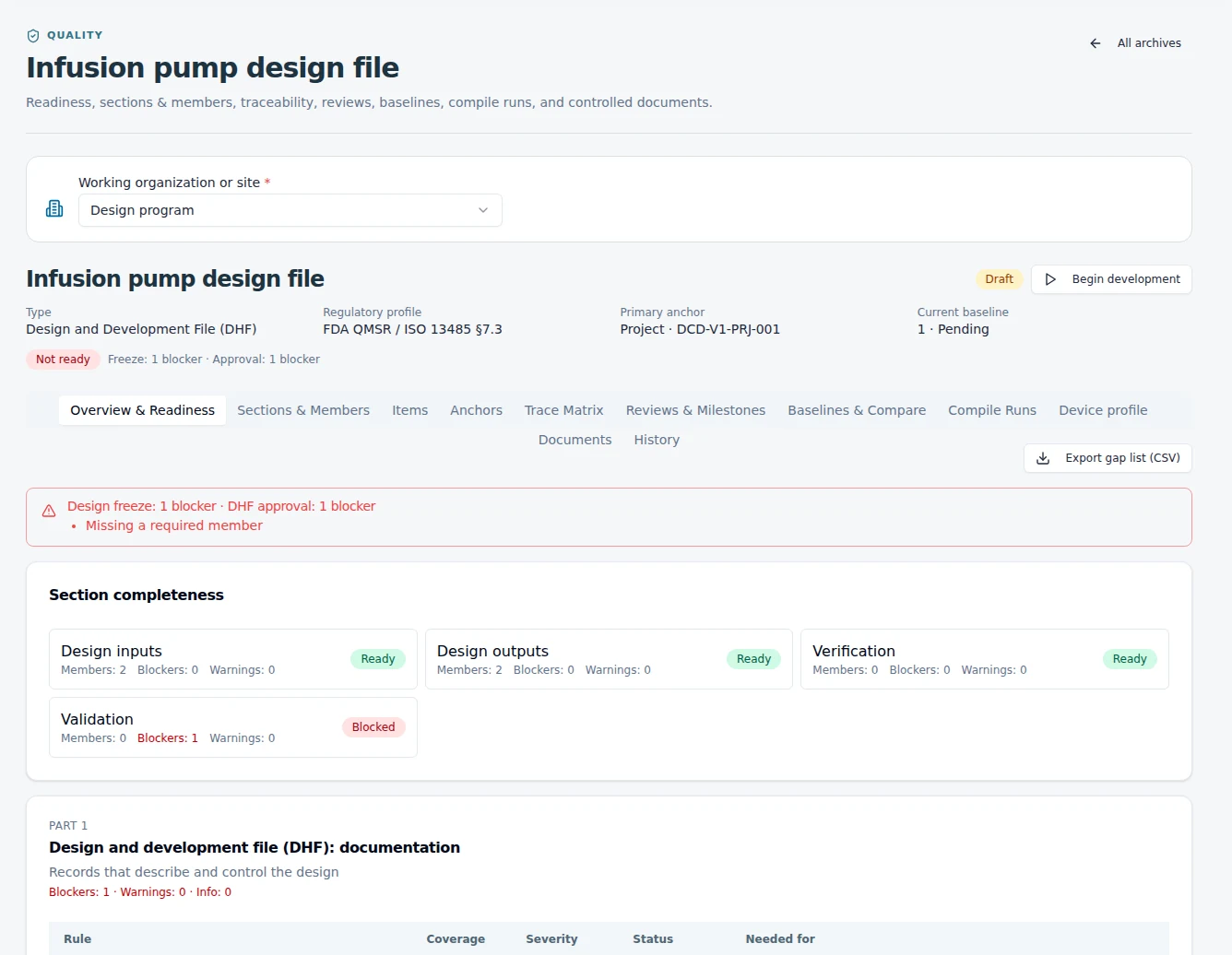
The requirements.
The decisions.
The reason behind both.
Captured from the running EquatorOps app. Demonstration records; identifying labels anonymized.
The work is connected.
Your systems should be, too.
A product changes.
The consequences travel.
A revised specification touches a test. A supplier delay affects a build. An audit finding changes a procedure. EquatorOps connects the records and the people involved, so teams can follow the impact and decide what to do next.
01 / Design & development
Keep the why.
Build the what.
Bring inputs, outputs, risks and verification into a design and development file that stays useful as the product evolves.
Explore design & development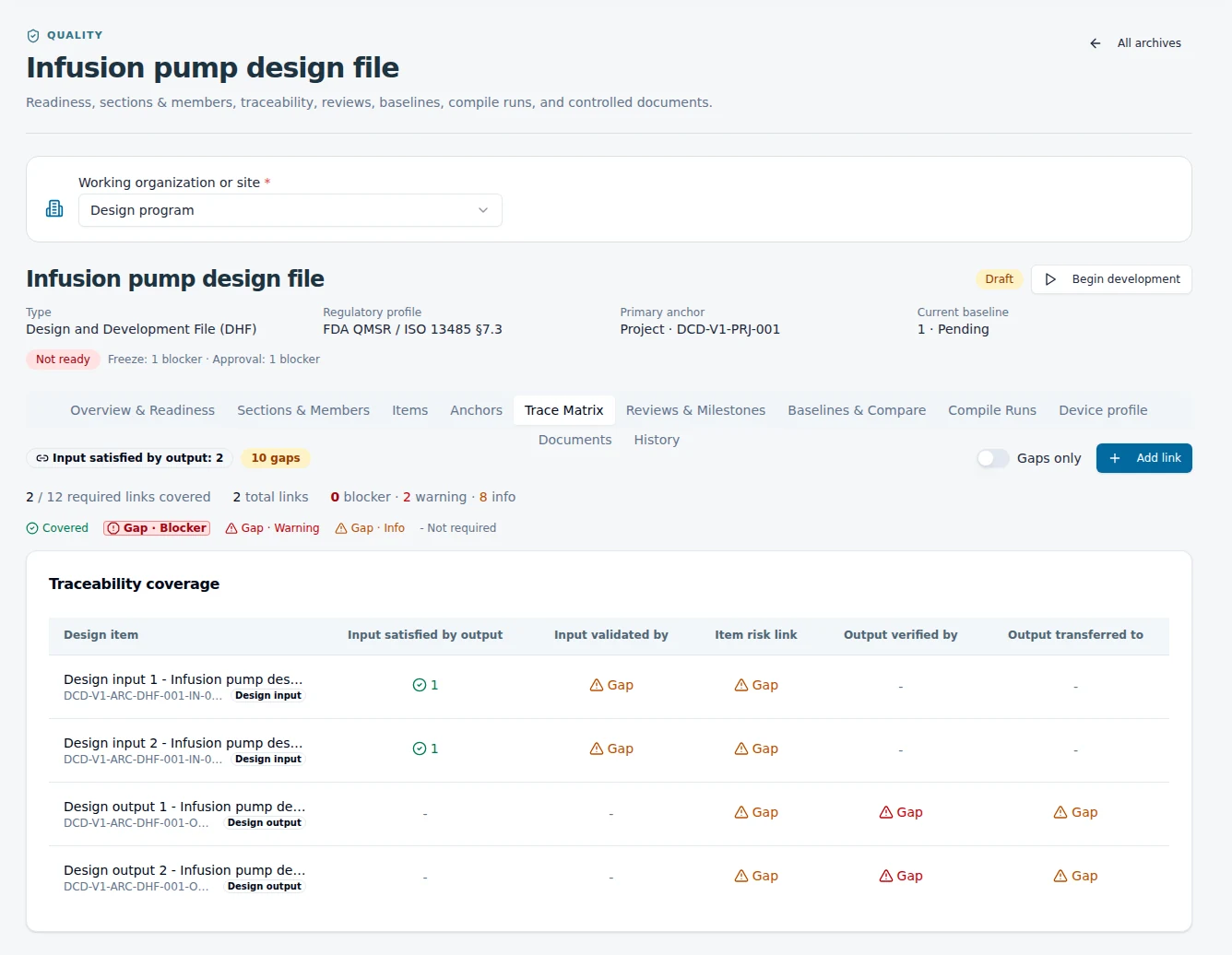
Give every requirement a place.
Organize the lifecycle from planning and inputs through verification, validation, transfer and change. See which evidence is present and where work remains.
A design discipline that travels.
Useful for medical devices, consumer products and industrial equipment. Make design intent, risk and verification part of the working process.
02 / Signals & impact intelligence
Something changed.
See what it touches.
Start with an observed event or a planning question. Follow the connected records to understand potential consequences, approvals, evidence and the people who need to act.
A critical component will arrive late.
Parts · open orders · work orders
Review the affected build and sourcing options.
Supplier confirmation + revised availability
Purchasing and planning review the next move.
A component specification needs to change.
BOMs · design outputs · verification
Assess the change before approving a revision.
Updated specification + verification records
Engineering and quality review the affected requirements.
An audit identifies a gap in a controlled process.
Procedures · training · corrective actions
Assign the response and review closure evidence.
Corrective action + effectiveness evidence
The process owner coordinates the response with quality.
Explore the pattern. Actual results depend on your linked records, configuration and review.
The connections make the difference.
The Verification Graph Engine (VGE) connects operational records and their dependencies. Impact Intelligence uses those connections to surface what may be delayed or invalidated, where evidence is needed, and what deserves attention first. Your team reviews the sources, gaps and findings.
03 / Change control & scenarios
Consider the options.
Then make the call.
Explore possible responses to a change, compare their implications, and carry the chosen decision through review and approval.
Inside change & impact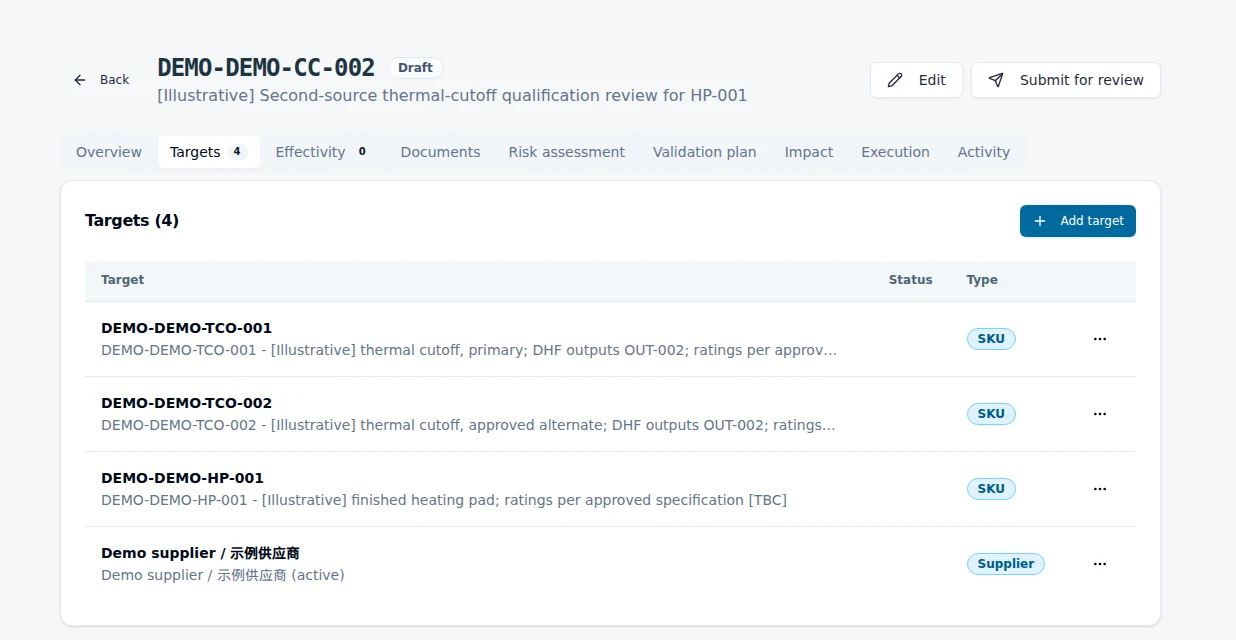
Compare possible responses.
Compare a reference configuration with one candidate. Review findings, evidence gaps and schedule implications before selecting a path.
Keep the decision with the change.
Assigned reviewers, recorded rationale and controlled approvals keep a proposed change connected to the people and evidence behind it.
04 / Quality programs & audits
Find the gap.
Follow it through.
Define audits around your requirements. Capture observations, assign findings, connect corrective actions and review the evidence for closure.
Explore cross-company quality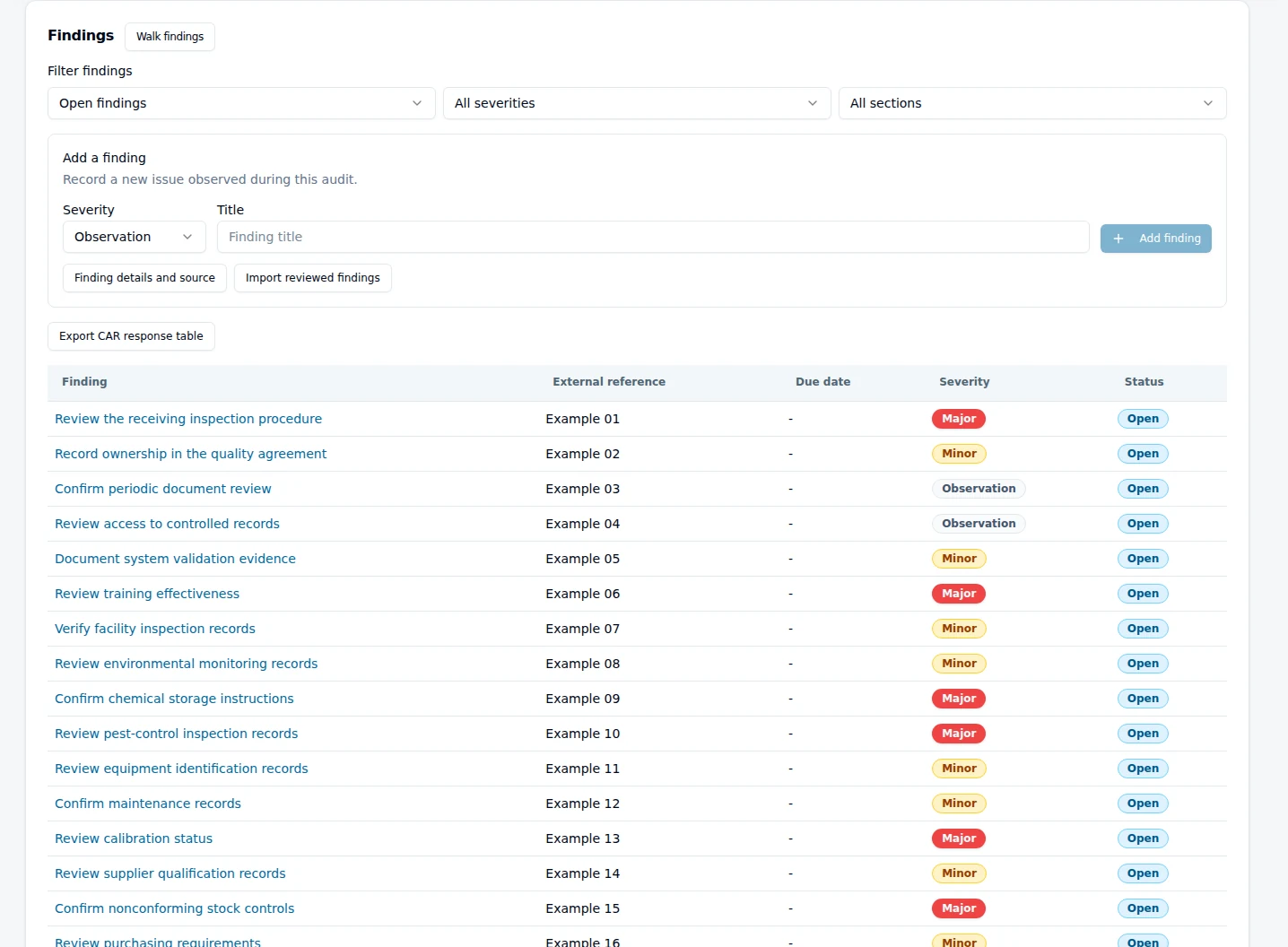
Your audit. Your requirements.
Build audit definitions with sections and prompts. Use guided walkthroughs and evidence capture to connect field observations to a structured response.
Keep quality in the daily work.
Controlled documents, training, inspections, NCRs and CAPA give teams a shared way to maintain the process after the audit is over.
05 / Warehouse & manufacturing
Put the plan
to work on the floor.
Connect receipt, inventory, work orders and shipment to the controls that govern them. Give operators the context to act and quality teams the records to review.
Explore warehouse & 3PL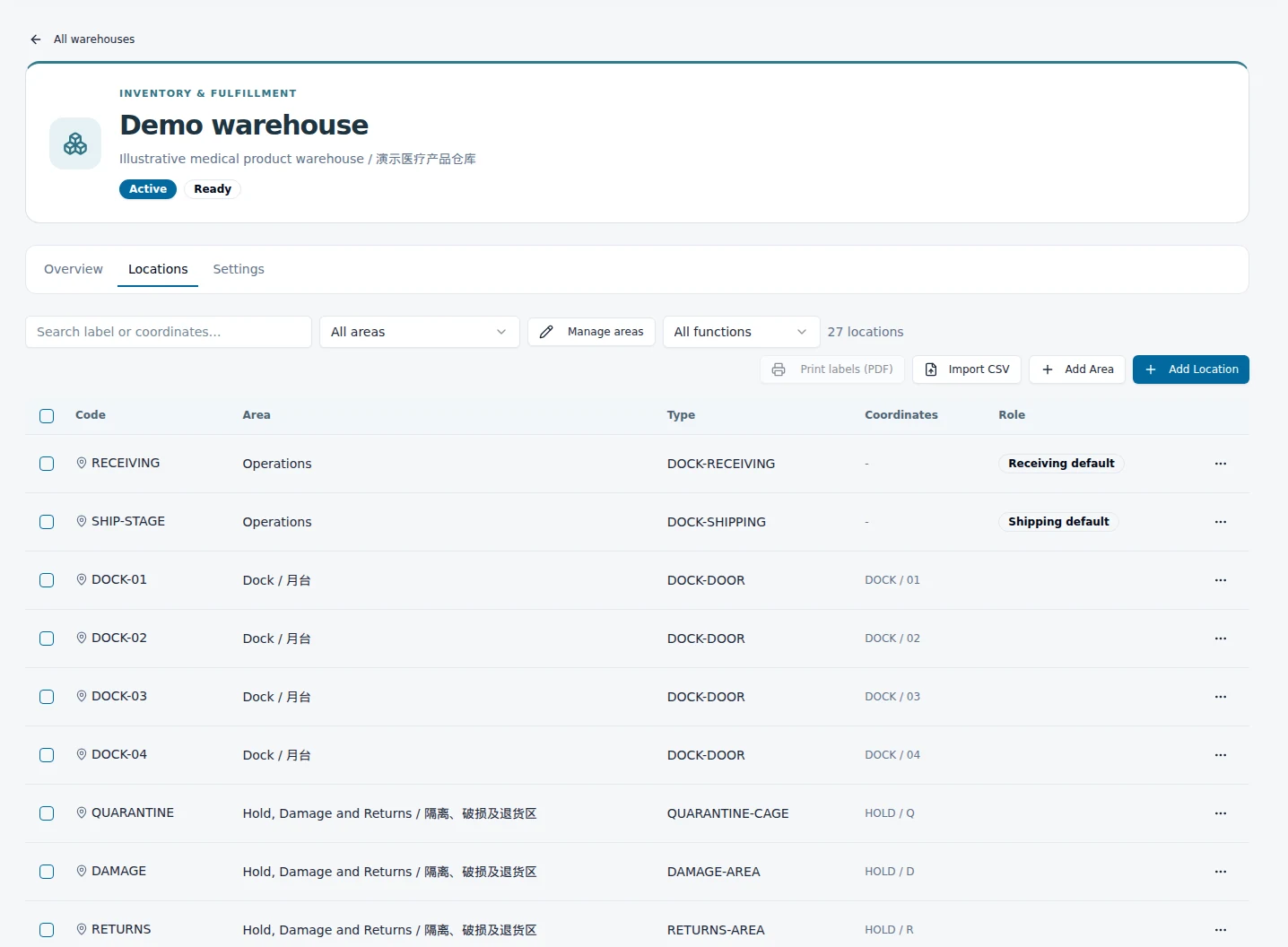
Carry the lot through the work.
Lot and expiry capture, handling units, locations and stock movements support traceability from receipt through outbound activity.
Let the controls shape execution.
Configure quality holds, release checks and picking policies around your operation. Build the record for warehouse GMP programs and customer requirements as work happens.
06 / Traceability & evidence
The record stays.
Even when teams change.
Follow a requirement to its evidence, a quality event to its response, or a lot to its history. Keep the reasoning accessible to the next person who needs it.
Requirements & verification
Review & approval history
Lots, movements & quality events
Supporting records & exports
Platform relationship illustration
Bring the evidence to the conversation.
Review record history, signature manifestations and assembled evidence packages. Give colleagues, partners and auditors a traceable starting point for the questions that matter.
Access, security & trustStart where the work needs it
Different operations.
The same need for clarity.
Design &
development
A shared design language for inputs, outputs, risks and verification, from medical devices to consumer products.
Explore the workflow 02 / Teams across companiesCross-company
quality
Coordinate a specification owner, manufacturer and quality partner around controlled records and defined responsibilities.
Explore the workflow 03 / The operational floorWarehouse &
manufacturing
Connect floor execution, quality programs and evidence for regulated products and multi-owner 3PL operations.
Explore the workflowMake it your working system
Start with a real workflow.
A design file. A change process. A quality program. A warehouse. Configure the records, roles and connections around how your team works, then extend from there.
See the connections for yourself
Your product.
Your next decision.
Let's walk through the work your team needs to get right.